



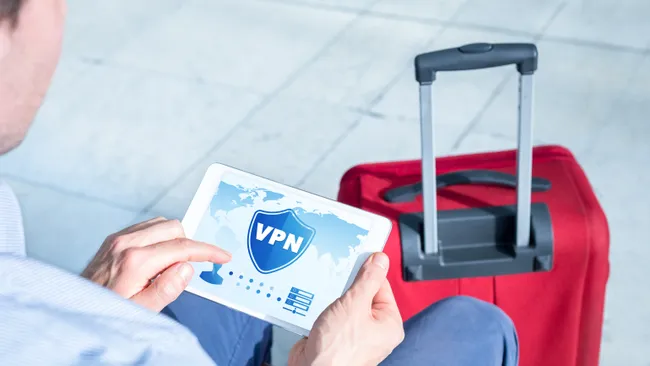
Traveling internationally or domestically exposes your devices to numerous security risks, from compromised public WiFi networks to surveillance in restrictive countries. A VPN is the single most effective defense against these threats, creating an encrypted tunnel that protects your data, privacy, and access to home services worldwide.
Why VPNs Are Essential for Travelers
Public WiFi Network Vulnerabilities
Travelers rely heavily on public WiFi in airports, hotels, cafés, and trains. However, these networks present alarming security risks:
Unencrypted Connections — Most public WiFi networks lack encryption, meaning anyone on the same network with basic technical knowledge can monitor your browsing activity
Man-in-the-Middle Attacks — Cybercriminals intercept data transmitted between your device and the router, capturing login credentials, financial information, and personal data
Rogue Hotspot Networks — Attackers create fake WiFi networks with names mimicking legitimate ones (like “AirportWiFi” spelled differently). Users connect unknowingly, and the attacker captures all their data. A man was recently jailed in Australia for setting up a fake WiFi network on a domestic flight and stealing passengers’ login details
Growing Threat Scale — UK cybersecurity agencies report that significant cyber incidents have increased 50% for three consecutive years, with compromised login credentials up 42% online
Once a VPN is activated, all data becomes unreadable to hackers, hotspot operators, and ISPs. This encryption is the traveler’s most critical defense.
Access to Home Services and Content
Streaming services, banking websites, and news platforms restrict access based on geographic location. A VPN allows you to:
- Access Netflix, Hulu, Disney+, and BBC iPlayer from any country using your home account
- Use your home banking and financial apps securely from anywhere
- Access work applications and company resources as if you’re in the office
- Maintain continuity with home internet services without disruption
Protection in Restrictive Countries
Some countries heavily censor and monitor internet activity. A VPN provides protection in these environments by:
- Bypassing government internet censorship and content blocks
- Hiding your browsing activity from government surveillance
- Accessing global news, communication platforms, and information sources blocked locally
- Protecting your device from detection when visiting countries with internet restrictions
Critical Legal Considerations Before You Travel
VPN legality varies dramatically by country, and using a VPN in certain nations can result in serious legal consequences:
Countries Where VPNs Are Banned or Highly Restricted:
| Country | Legal Status | Penalties |
|---|---|---|
| China | Only government-approved VPNs allowed; others technically illegal | Fines up to $2,200 |
| Russia | Only government-approved VPNs legal; many foreign VPNs banned as of 2025 | Potential imprisonment |
| Iran | Technically legal only if government-approved | Fines or arrest |
| North Korea | Completely banned | Highly punishable (country-wide internet control) |
| Turkmenistan | All VPNs banned | Unspecified fines with further repercussions |
| Iraq | Banned since 2014 | Up to 1 year imprisonment |
| Belarus | VPNs and Tor blocked | Legal penalties possible |
| UAE | Only government-approved VPNs legal | $41,000-$136,000 fines or imprisonment |
| Turkey | Restricted/many services blocked | Fines or prison sentences |
| Myanmar | Newly restricted (2025 law) | 6 months prison or $4,750 fines |
| Venezuela | Restricted | Varies |
| Oman | Restricted | Varies |
| Uganda | Restricted | Varies |
Critical Rule for Restrictive Countries:
If you’re traveling to China, Russia, Iran, UAE, or other restrictive nations, install and set up your VPN before arriving in that country. Most foreign VPN websites are blocked from within these countries, and app stores don’t offer VPN apps. Installing before arrival ensures you can connect once you’re there.
For Most Other Countries:
VPNs are legal in the vast majority of nations worldwide. The main risk is violating streaming services’ terms of service by accessing geo-blocked content — a civil matter, not a legal one. However, always verify specific regulations for your destination.
Best VPNs for Travel in 2026
The ideal travel VPN balances security, speed, global server coverage, ease of use, and streaming compatibility. Testing has identified these top options:
1. NordVPN — Best Overall for Travel
Why It Excels for Travelers:
- Largest server network — 8,000+ servers in 126 countries (most individual nations)
- Exceptional speed — retains 84-92% of baseline speeds for streaming and video calls
- Proven streaming access — works reliably with Netflix, Disney+, BBC iPlayer, Amazon Prime Video
- Intuitive apps — simple interface suitable for beginners
- Strong encryption — AES-256 with kill switch and DNS leak protection
- Remote work capable — stable for video calls, file transfers, and cloud access
Pricing: From $3.39/month on annual plans
Money-Back Guarantee: 30 days
Travel-Specific Advantage: With servers in 126 countries, you’re unlikely to encounter server unavailability no matter your destination.
2. ProtonVPN — Best for Privacy and Free Option
Why It Excels for Travelers:
- Swiss-based with independently verified no-logs policy
- Exceptional transparency — has refused government data requests in court (no data to provide)
- Fast speeds — maintains good performance with Stealth protocol for censorship-heavy regions
- Free plan available — unlimited data with 3 server locations (good for casual browsing)
- 15,000+ servers on paid plans across 122 countries
- Stealth protocol — specifically designed to bypass government censorship and monitoring
- Best for remote work — excellent for video calls, file transfers, and cloud collaboration
Pricing: Free plan available; Premium from $2.99/month
Travel-Specific Advantage: Stealth protocol helps in countries with active internet monitoring and blocking. Perfect for travelers prioritizing privacy over maximum speed.
3. ExpressVPN — Best for Ease of Use
Why It Excels for Travelers:
- 3,000+ servers in 105+ countries
- All 50 US states covered — excellent for domestic US travel
- Intuitive apps across iOS, Android, Windows, macOS, and even Fire TV
- Fast and reliable — excellent for streaming and video calls
- Strong privacy commitment — transparent no-logs policy
- MediaStreamer feature — works on devices that don’t support VPNs (smart TVs, streaming devices)
Pricing: From $4.99/month on 2-year plans
Money-Back Guarantee: 30 days
Travel-Specific Advantage: MediaStreamer allows you to stream home content on hotel TVs or borrowed devices without complex setup.
4. Surfshark — Best for Budget Travelers
Why It Excels for Travelers:
- Unlimited simultaneous connections — use one account across all your devices
- 3,200+ servers in 100 countries at very affordable pricing
- NoBorders and Camouflage modes — specifically designed for restrictive countries like China
- CleanWeb feature — blocks ads and malware, improving security on public WiFi
- Multi-hop tunneling — routes traffic through multiple servers for extra encryption
Pricing: From $1.99/month on 2-year plans
Money-Back Guarantee: 30 days
Travel-Specific Advantage: Unlimited connections mean you can protect your phone, laptop, tablet, and even mobile hotspot simultaneously without paying per device.
5. CyberGhost — Best for Streaming While Traveling
Why It Excels for Travelers:
- 11,500+ servers optimized for specific streaming platforms (Netflix, BBC iPlayer, etc.)
- 100 countries covered
- Preset streaming servers — select “Netflix US” or “BBC iPlayer” and connect confidently
- User-friendly interface — excellent for beginners
Pricing: Wallet-friendly options available
Travel-Specific Advantage: Pre-labeled streaming servers eliminate trial-and-error when trying to access home entertainment services.
Setting Up Your VPN Before You Travel
Critical Timing: Install your VPN and test it thoroughly before leaving your home country. This is especially important for travelers heading to restrictive countries where VPN websites and apps are blocked.
Installation Steps (Simple):
1. Choose Your VPN Provider
Based on your priorities (budget, streaming, restrictive country travel), select from the top options listed above.
2. Subscribe and Download
Visit your chosen provider’s website and subscribe. Download the app for your device (iPhone, Android, Windows, Mac, etc.).
3. Create and Test Your Account
Log in with your credentials and test the connection in your home network. Verify that your real IP address is masked and you appear to be in your chosen server country.
4. Configure Auto-Connect
In the VPN app settings, enable automatic connection when joining networks. This ensures protection on public WiFi without requiring you to manually reconnect each time.
5. Test Multiple Servers
Before traveling, test connecting to different server locations to ensure they work reliably. This identifies any issues while you’re still at home.
Installation on Common Devices:
iOS: Open App Store → Search for your VPN → Download → Log in → Select country → Connect
Android: Open Play Store → Search for your VPN → Install → Log in → Select country → Connect
Windows/Mac: Visit provider’s website → Download installer → Run installer → Log in → Select country → Connect
Public WiFi Safety During Travel
Even with a VPN, public WiFi remains risky. Follow these practices to minimize exposure:
Use Your VPN First, Every Time
Connect to your VPN before accessing any public WiFi network — before checking email, accessing banking apps, or entering any credentials. This ensures all data transmitted is encrypted from the start.
Verify Network Names
Attackers create fake hotspots with names nearly identical to legitimate networks. Before connecting:
- Ask staff for the exact WiFi name (SSID)
- Check spelling carefully
- Look for unusual variations (extra spaces, numbers, special characters)
Disable Auto-Connect Features
Configure your device to never automatically connect to open networks. In WiFi settings:
- Turn off “Auto-join open networks” or “Auto-connect”
- Forget old networks you won’t use again
- Prevent your device from connecting to rogue hotspots in the background
Treat Public WiFi as Read-Only
Even with a VPN, avoid critical actions on public networks:
- Never bank online or process financial transactions
- Never enter passwords for email or social media accounts (unless absolutely necessary)
- Never submit sensitive personal information
- Avoid accessing work systems or confidential company data
If these activities are unavoidable, wait until you reach secure WiFi (your hotel with a strong private network) or use your personal mobile hotspot instead.
Enable Device Protections
Before traveling, configure your device for maximum security:
- Update all software and operating system patches (prevents known vulnerabilities)
- Disable file and printer sharing on laptops (makes your device harder to discover on networks)
- Keep your antivirus software up to date
- Turn off Bluetooth when not needed (prevents unauthorized device pairing)
Use Personal Hotspot When Possible
For truly sensitive activities, avoid public WiFi entirely by:
- Using your mobile phone’s personal hotspot instead of WiFi
- Tethering your laptop to your phone’s mobile data connection
- This ensures you’re on a secure, encrypted connection
VPN for Remote Work While Traveling
If you’re working remotely while traveling, VPN requirements are more stringent than for casual browsing:
Essential Requirements for Remote Work VPNs:
Stability and Speed — Video calls, file uploads, and cloud collaboration require consistent performance. ProtonVPN and NordVPN are specifically praised for remote work stability.
Kill Switch — If your VPN drops during work, you need automatic disconnection to prevent unencrypted company data transmission.
Split Tunneling — Routes only work-related apps through the VPN while allowing other apps to use regular internet. This preserves speed for work-critical traffic.
DNS Leak Protection — Prevents your company’s DNS queries from leaking, which could expose internal systems and resources.
Auto-Connect on Startup — Ensures your work devices are protected from the moment they turn on.
Configuration Best Practices for Remote Workers:
- Set VPN to Auto-Connect on Startup — Protect your work data immediately when your device starts
- Use Split Tunneling — Route only work apps through the VPN to preserve speed for HD video calls
- Install on All Work Devices — Protect your phone, tablet, laptop, and any devices accessing company resources
- Create VPN Profiles for Different Scenarios — Set custom profiles for different tasks, regions, or server preferences for quick switching
- Never Use Hotel WiFi for Sensitive Work — Always use your VPN, and consider using mobile tethering for critical work
Travel VPN Comparison Table
| VPN | Best For | Servers | Countries | Speed | Price | Free Option |
|---|---|---|---|---|---|---|
| NordVPN | Overall travel | 8,000+ | 126 | Excellent | $3.39/mo | No |
| ProtonVPN | Privacy-focused | 15,000+ | 122 | Good | $2.99/mo | Yes (limited) |
| ExpressVPN | Ease of use | 3,000+ | 105+ | Excellent | $4.99/mo | No |
| Surfshark | Budget travelers | 3,200+ | 100 | Very good | $1.99/mo | No |
| CyberGhost | Streaming | 11,500+ | 100 | Good | Budget-friendly | No |
Specific Country Considerations
For China Travel
Traveling to China requires a pre-installed VPN that works in restrictive environments:
- Install your VPN app and test it thoroughly before arriving
- Choose a VPN with obfuscation capabilities (Surfshark’s Camouflage or ProtonVPN’s Stealth)
- Download all apps before arrival — they won’t be available in app stores from within China
- Be aware that the Great Firewall constantly works to block VPNs, and the VPN situation changes frequently
For Russia Travel
As of 2025, VPN restrictions have dramatically tightened:
- Only government-approved VPNs are technically legal
- Many popular Western VPNs are banned
- Install your VPN and test it before arrival
- Expect potential disruptions to VPN connectivity
For UAE Travel
The UAE enforces strict VPN regulations:
- Only government-approved VPNs are legal
- Fines for using unauthorized VPNs range from $41,000-$136,000
- Consider whether your use case justifies the risk
For Most Other Countries
VPNs are legal, and using them for legitimate purposes (security, streaming content you subscribe to, accessing home services) carries minimal legal risk.
VPN Travel Packing Checklist
Before every trip, ensure you have:
- VPN App Installed on all travel devices (phone, laptop, tablet)
- VPN Account Credentials saved securely (preferably in a password manager)
- Multiple Server Locations tested to ensure reliability
- Auto-Connect Enabled so the VPN activates automatically on public networks
- Kill Switch Configured (if you’ll be handling sensitive work data)
- Device Software Updated to latest security patches
- Backup Method for internet connectivity (mobile hotspot, secondary connection option)
- VPN Provider’s Support Contact saved in case you encounter issues
The Bottom Line for Travelers
A quality VPN is the single most important security investment for travelers in 2026. The 50% increase in significant cyber incidents and 42% surge in compromised credentials underscores the growing threat landscape.
NordVPN stands out as the best overall choice for most travelers, offering the largest server network, proven streaming compatibility, and excellent speed across all regions. For budget-conscious travelers, Surfshark’s unlimited connections and restrictive-country features provide exceptional value. For privacy-focused travelers heading to censorship-heavy regions, ProtonVPN’s Stealth protocol and Swiss legal protections make it indispensable.
Regardless of which provider you choose, the critical actions are:
- Install before you travel — especially if visiting restrictive countries
- Enable auto-connect — protection should be automatic
- Test thoroughly — verify it works on multiple networks at home
- Use before every public WiFi connection — encrypt your data before connecting
- Treat public WiFi cautiously — even with a VPN, avoid sensitive transactions
By following these practices and selecting a trustworthy VPN provider, you can travel globally with confidence that your data, privacy, and access to home services remain protected, no matter where your journey takes you.